Before we report any tonnes, we need to know: where each seam is, how thick it is, where it splits, where it's faulted, and how clean the coal will be after washing.
Here's how GEOVIA Minex helps geologists answer those questions
1. Start with the drillhole data
Everything is tied to the collar (the hole's location). Lithology logs, coal quality results and geophysical logs are all placed relative to it. [1]
2. Pick the seams
First, set the seam order from top to bottom. Then pick each seam's roof and floor in every hole using the logs and geophysics. You can even pick them on screen. [2]
GEOVIA Minex then checks the picks: seams out of order, floor above roof, overlapping seams and duplicates. The tutorial suggests at least 4 holes through each seam before modelling. [2]
3. Handle seam splits
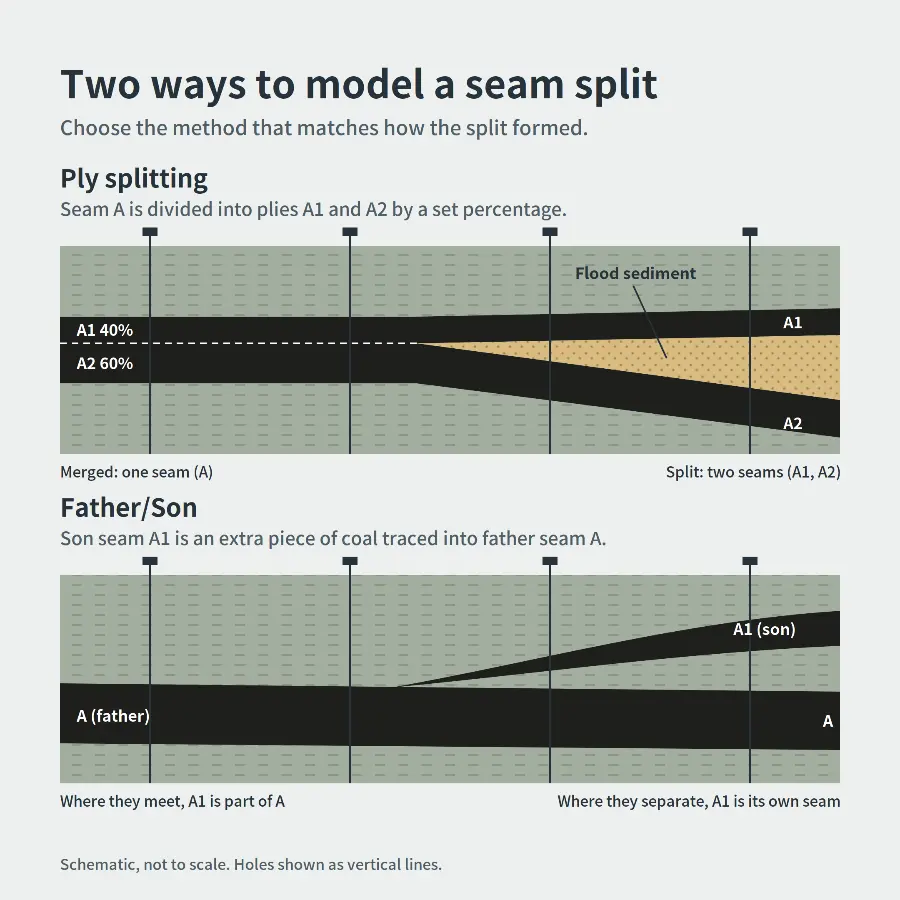
Seams often split when river floods dropped mud or sand onto the peat swamp. [3] GEOVIA Minex has two ways to model this: [4]
Ply Splitting: parent seam A divides into plies A1/A2 by thickness percentage or a percent grid, and keeps separate quality per ply. Best when splits are widespread and fairly even.
Father/Son: A1 is treated as an extra piece of coal above or below A. Best when you only have whole-seam data (e.g. open-hole drilling) or for local splits.
4. Model faults: unfault → model → refault
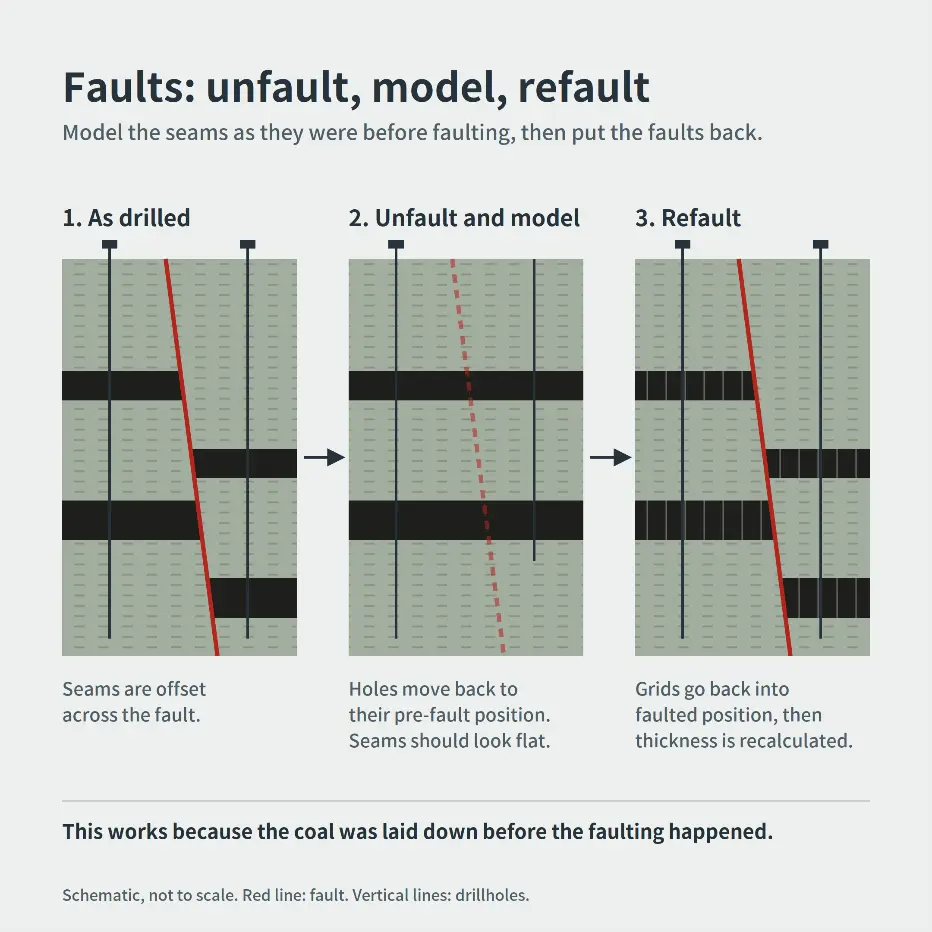
GEOVIA Minex moves the holes back to where they were before faulting, builds the seams there, then puts the faults back. [5] This works because the coal was there before the faults. [6]
QC tip: after unfaulting, seams should look smooth and nearly flat. If not, check your fault dip and throw. [5]
5. Build the seam grids
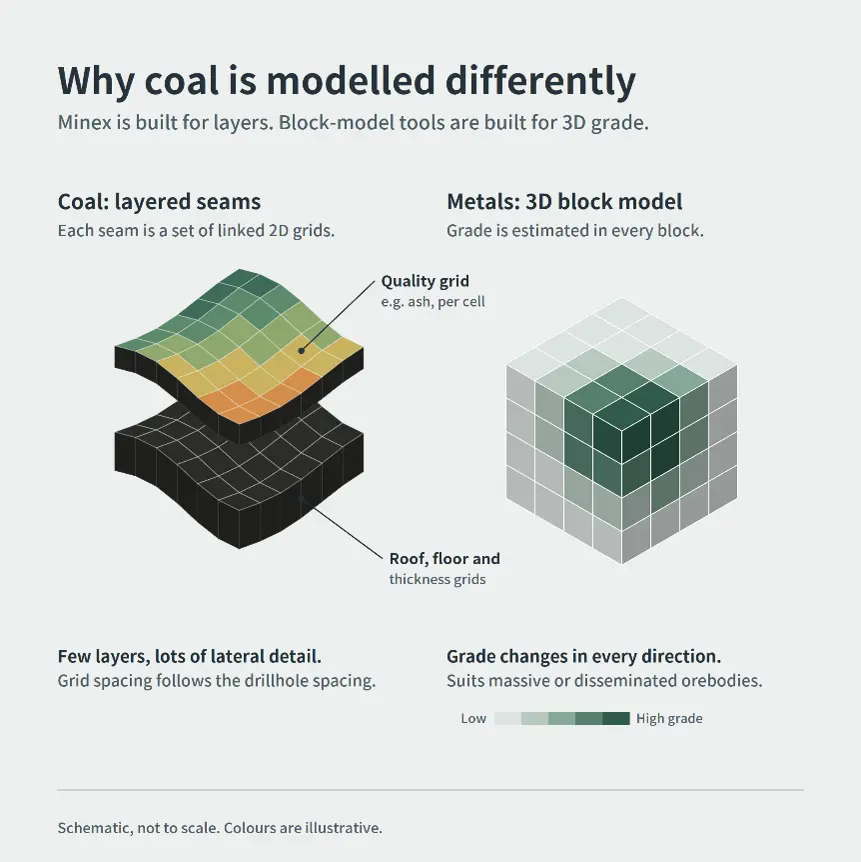
Each seam is modelled as linked 2D surfaces (roof, floor, thickness, quality), not 3D blocks. [7] The Growth method builds each grid outward from the drillhole data. [8]
6. Coal quality & washability
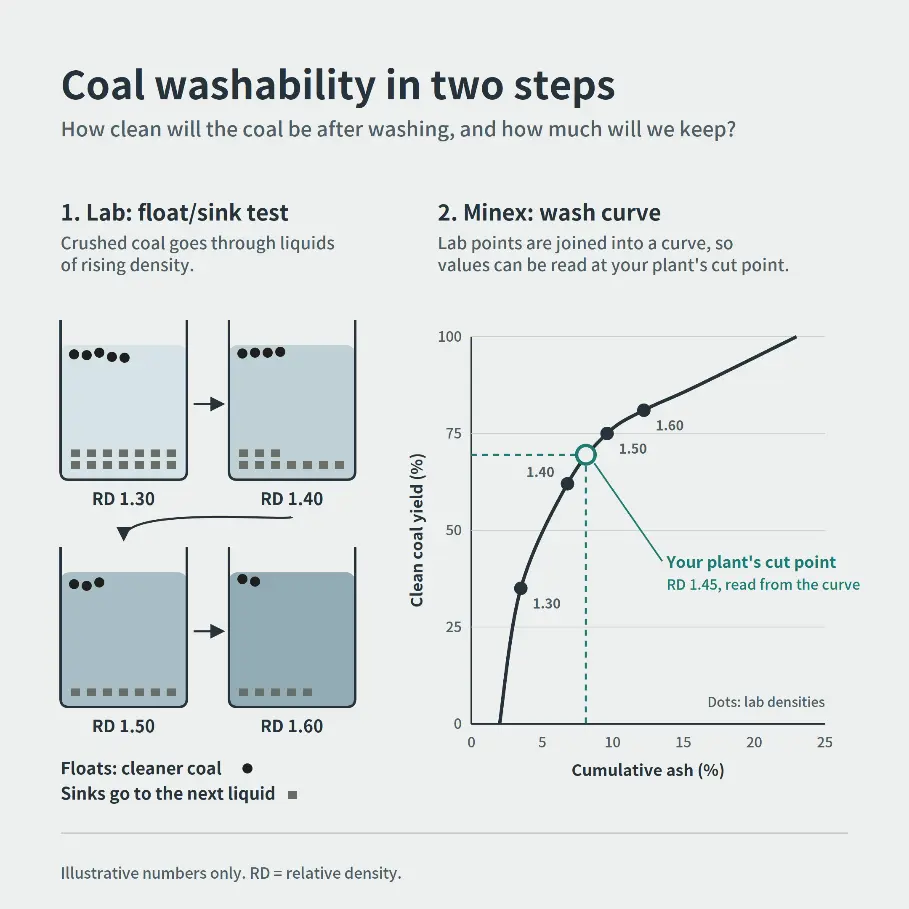
Washability tests show how much clean coal you get at each density, and at what ash. [9]
GEOVIA Minex stores these results, combines them per seam (weighted by yield) and can recalculate them for your plant's actual density cut points. The results then feed your quality model. [10]
Watch the "% of seam sampled" setting: if stone bands weren't sampled, ash can come out too low. [10]
7. Use seismic between holes
Drillholes can miss faults that sit between them, and seismic helps fill that gap. [11] GEOVIA Minex can place seismic sections in 3D next to your holes to support structure modelling. [12]
Why not a block model?
Block-model software like Surpac is built to estimate grade that changes in every direction. [13][14] In coal, what matters most is the layers, splits, faults and seam thickness, which can be well under a metre for some plies. GEOVIA Minex is built around exactly that.
Better geology first → a more trustworthy resource.